Snow Rider 3D Lagging on a Chromebook? How to Make It Smooth
Published · 2 min read
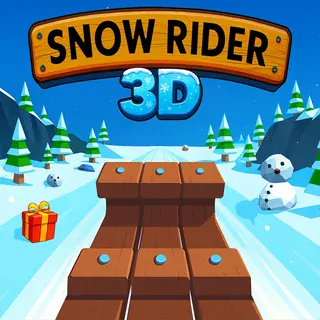
Snow Rider 3D is a proper 3D game running inside a browser tab. On a new laptop it is silky, but on a busy school Chromebook it can stutter, and in a game where one crash ends the run, a stutter at the wrong moment is fatal. Here is how to get it running as smoothly as your device allows.
Why it lags
The game draws a 3D mountain, trees and snow many times a second using WebGL, the browser's way of using the graphics chip. Many school Chromebooks have modest graphics and share memory with everything else that is open. Other tabs, videos, or an extension doing work in the background all take a slice of the same power.
Fixes, from easiest to most effective
- Close other tabs. Especially anything with video, music or a video call. This alone often fixes the stutter.
- Lower the graphics quality. The wrench button on the game's menu has a quality setting. Lower quality means fewer effects to draw, which means a steadier frame rate. The sled steers exactly the same.
- Plug in the charger. Many laptops slow themselves down on battery to save power.
- Use fullscreen wisely. Fullscreen is nicer to look at, but a bigger picture is more work. If fullscreen stutters and the normal view does not, play in the normal view.
- Restart the browser. If Chrome has been open all day, closing it completely and opening it again frees memory.
Slow first load
The first time you open the game, the browser downloads the whole 3D build. On slow school Wi-Fi that can take a little while, and the loading bar may pause near the end while the game prepares itself. Give it a moment. The next visit is faster because the browser keeps a copy.
Black screen or no picture
If the frame stays black, the browser may have WebGL turned off or blocked. Reload the page once. If it is still black, check that hardware acceleration is on in Chrome's settings (under System). On a managed school device this may be controlled by your school, in which case the game may simply not be allowed to run there.
Keys do nothing
The game needs focus to receive key presses. Click once inside the game frame before your first run. If you clicked somewhere else on the page during a run, click back into the game.
Progress disappeared
Presents, sleds and your best distance are saved in the browser's storage for this site. They will not carry over to a different Chromebook, an incognito window or a browser where site data has been cleared. Use the same device and the same signed-in browser to keep your collection.
If none of this helps, tell us on the contact page which device and browser you use and what you see. We test the game on ordinary school laptops, and reports help us keep it working.
More from the blog
- Snow Rider 3D: 7 Beginner Mistakes That End Your Run Early
Holding the keys, jumping too soon, chasing presents — the seven habits that crash most Snow Rider 3D runs, and what to do instead.