Geometry Dash Lite — Play Free Online
More Jump & Dodge games




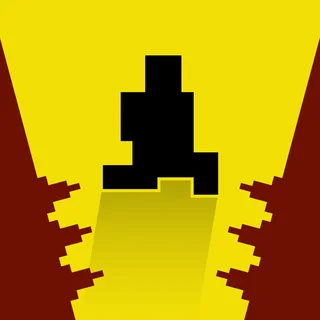

Geometry Dash Lite is a rhythm platformer built around one idea: your character moves forward on its own, and the only thing you control is timing. The cube slides across a level of spikes, gaps, saw blades and moving platforms while a driving electronic track plays, and almost every obstacle is placed to land on the beat. Touch anything sharp or crash into a wall and the attempt ends instantly.
It is the free, trimmed-down version of the original game by RobTop Games, and it keeps what made the series stick: short, brutal attempts and an immediate restart. There is no loading screen between tries, so a failure costs you a second, not a minute. That is why people end up playing "just one more go" for an hour.
If you landed here from Snow Rider 3D, the appeal is similar: a fast, reflex-driven run where one mistake ends it and the next attempt starts straight away. The difference is that Geometry Dash is memorisation as much as reaction. You learn a level in pieces, a bit further each time.
How to play
The main control is a single input: press the jump key, tap, or click to make the cube jump. Space or the up arrow, or a click or tap anywhere on the screen, all do the same job. Hold the input to keep jumping again as soon as you land, which is handy over long runs of spikes.
As a level goes on, the character changes form. The ship, for example, flies instead of jumping, and holding the input makes it climb while releasing lets it fall. Portals and pads in the level, such as jump rings and pads that launch you, change how you move, and you meet them in order. Each new gimmick is introduced in a fairly gentle spot before it is used harder.
A progress bar tells you how far through the level you got, so you can see improvement even when you keep dying at the same place.
Tips
- Play with sound on. The obstacles follow the music, so the beat tells you when to press even when your eyes are lagging.
- Do not mash. Most jumps need a short, deliberate press, and pressing early is the commonest way to die.
- Learn the level in sections. Work out where the next hard bit is, deal with it, then carry that rhythm forward.
- Use practice mode if the build offers it. It lets you place checkpoints so you can rehearse a single hard section without replaying everything before it.
- If you are stuck, take a break. Fatigue ruins timing far more than lack of skill does.
Similar games on Snow Rider 3D
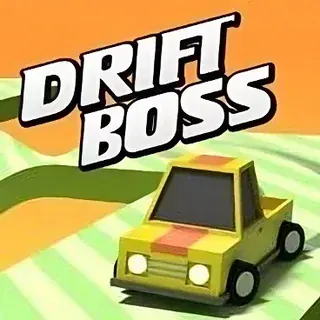
For another tight one-button game, try Drift Boss, which is about timing turns on a narrow road. Slope and Run 3 are also fast, but you steer or move freely rather than react to a fixed pattern of obstacles. Dino Run is the simplest of the group: jump and duck, with speed rising the longer you last.
It suits short sessions well, but with a keyboard or a steady tap on a phone you can also settle in for a long attempt. It runs in the browser with nothing to install.
Questions about Geometry Dash Lite
What are the controls in Geometry Dash Lite?
One input does most of the work: press Space or the up arrow, or click or tap the screen, to jump. Hold it to keep jumping when you land. Other forms, like the ship, use the same input to fly upward.
Do I need to play to the music?
You can play with the sound off, but the obstacles are laid out to the beat, so the music is a useful timing guide.
Can I play Geometry Dash Lite on a phone?
Yes, tapping the screen acts as the jump input, and it runs in the browser. A keyboard is often more precise for harder sections.
Who made Geometry Dash Lite?
The Geometry Dash series is made by RobTop Games; Lite is the free version of the original.