Going Balls — Play Free Online
More Tunnels & Rolling Balls games





Going Balls delivers a gripping 3D platforming experience where momentum and precision matter on every single inch of track. Players take control of a lone ball speeding along elevated, winding courses suspended high above the ground. Every level tests your reflexes with floating ramps, swinging pendulums, tight corners, and sudden drops that punish reckless steering.
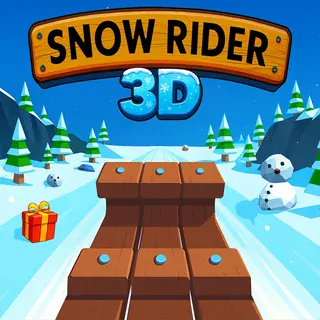
For players who enjoy the high-speed obstacle dodging of Snow Rider 3D, Going Balls offers a familiar rush with a unique twist on physics. Instead of sliding downhill on a sled, you manage the rolling inertia of a sphere across tracks that frequently lack guardrails. One mistimed flick of the keys or overcorrected turn will send your ball tumbling into the empty sky.
The progression feels rewarding because every track introduces fresh mechanical hazards. You might navigate rickety wooden planks in one section, dodge swinging iron hammers in the next, and time a high-speed launch across a chasm before rolling through the final checkpoint gate.
How to play
Steering your ball is straightforward, but mastering its weight and momentum requires finesse. On desktop and laptop keyboards, use the following inputs:
- Forward / W / Up Arrow: Push forward to accelerate and build rolling momentum down slopes and ramps.
- Backward / S / Down Arrow: Pull back to apply the brakes, reducing speed when approaching sharp corners or narrow bridges.
- Left and Right / A and D: Steer horizontally to align with the track, grab coins, and avoid colliding with obstacles.
- Mouse / Touch: Swipe or drag across the screen to direct movement and control velocity on touchscreen devices.
Each level consists of checkpoints along a floating course leading toward a glowing finish arch. Smashing into stationary barriers or falling off the edges resets you to the nearest unlocked checkpoint. Reaching the goal line clears the stage, rewarding gold coins and keys used to unlock custom ball designs.
Tips for clearing tough tracks
- Brake before narrow ledges: Trying to take sharp turns or thin wooden beams at top speed usually leads to an immediate fall. Tap the reverse key to stabilize your ball before making tight adjustments.
- Commit on approach ramps: Clearing long gaps requires full forward momentum. Accelerate early before hitting the ramp lip so you have enough lift to clear the void.
- Patience around moving hazards: Heavy swinging pendulums and sliding barriers follow predictable rhythms. Slow down momentarily to slip behind a moving obstacle rather than rushing directly into its path.
- Prioritize survival over stray coins: While picking up coins helps unlock cosmetic skins, risking your run for a dangerous pickup at the track edge rarely pays off. Focus on crossing the finish line first.
Similar games on Snow Rider 3D
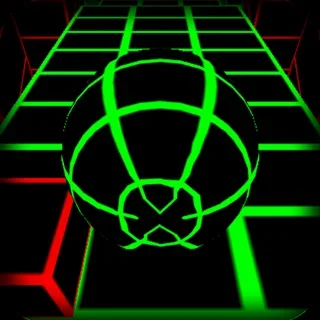
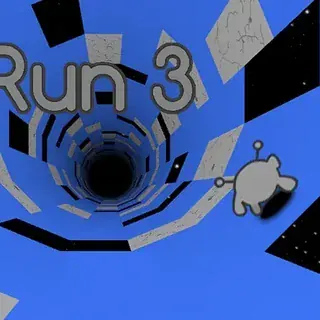
If you enjoy the balance of speed and track navigation in Going Balls, several companion titles on Snow Rider 3D offer great alternatives. Slope provides an endless downhill survival run with relentless speed acceleration. Run 3 challenges your spatial awareness as you traverse floating tunnels in deep space with rotating gravity. For a snowy take on fast obstacle dodging, Snow Rider 3D lets you steer a wooden sled past trees and snowmen.
Going Balls runs directly in any modern desktop or mobile browser with zero installation needed. Its bite-sized levels make it ideal for quick sessions whenever you want a sharp test of reaction time and steering accuracy.
Questions about Going Balls
How do you control the ball in Going Balls?
Use the arrow keys or W, A, S, D on your keyboard to steer, accelerate, and brake. On mobile or touchscreens, swipe and drag to guide the ball along the course.
What happens when you fall off the track in Going Balls?
Falling off the course or crashing into fatal obstacles resets your ball to the most recent checkpoint on the track, allowing you to continue the run without restarting from scratch.
Can you unlock different balls in Going Balls?
Yes. Collecting gold coins and keys scattered across each level allows you to unlock a variety of cosmetic ball skins and custom textures in the shop.
Does Going Balls require any downloads to play?
No downloads or installations are required. Going Balls runs directly inside any standard web browser on desktop computers, laptops, Chromebooks, and mobile devices.